You state a job in writing. We plan the steps, gather the data, and come back with the work — a valuation opinion, underwriting, comparables, a feasibility study, a longlist of properties, a BOV across many addresses.
This page is the whole of the first run: what to type, what we will ask you, what comes back, and what does not.
1. Give us the subject
An address, a list of addresses, or a territory. That is the whole requirement for most jobs.
Add whatever constraints actually matter to you — budget, size, target yield, the hold period. If you have a T-12 or a rent roll, attach it; file upload works and most working conversations include one.
Two products need a document rather than an address: Pitch Deck and OM need a T-12, and the interface will not start them without one.
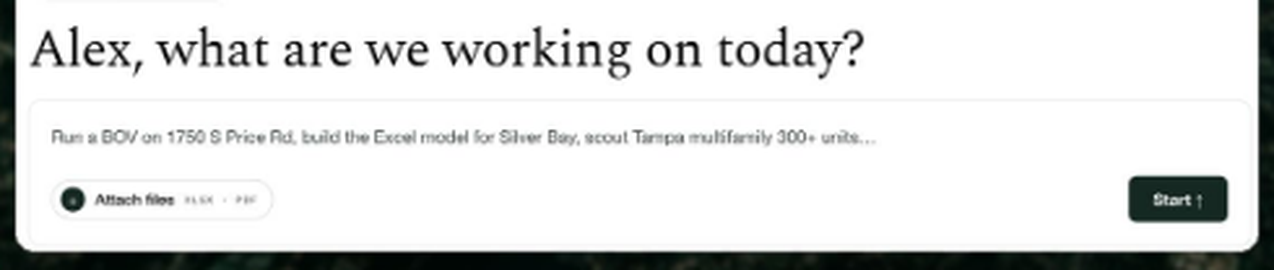
One job per message, for now. The example in the composer above names three — a BOV, a model and a territory search. Chaining several jobs from one brief is new: exactly one such chain has been saved in production and its single run did not complete. Until that changes, ask for one thing, get it back, then ask for the next. It is slower to type and faster to finish.
2. Expect to be asked a few things
The conversation is an interview, not a search box. The median first message clients send is 43 characters — an address and nothing else — and the rest gets asked rather than assumed.
Answering in a line or two is normal and is what most people do. If a detail would change the answer, we ask for it instead of picking a default. An omission is more honest than a substitution.
3. Pick the product, or let the job pick it
You can open a product directly, or simply describe the job. The products are covered one by one in Product guides — the short version:
| You want | Product |
|---|---|
| An opinion of value on one property | Value Opinion |
| A BOV across a list of addresses | BOV at Scale |
| Properties matching criteria across a territory | Scout |
| Comparable properties and deals | Comps |
| Income, debt, returns, scenarios | Underwriting |
| What is the best thing to build here | Best Use |
| Can this development work | Feasibility |
| A financial model as a spreadsheet | Excels |
| Read or draft a deal document | Legal |
| Work through diligence material | DD |
4. Check the estimate before it starts
Heavy jobs are estimated before they run. If the estimate meets or exceeds your balance the run is blocked and you are shown the estimate and the balance side by side. At 80% of your balance you get a warning instead of a block.
One credit is one US dollar. See Credits and plans.
5. How long it takes
Most jobs land within the hour — the median is twenty to fifty minutes depending on the product. Heavy jobs can run much longer, and the tail is long: a default-chat run has reached 24 hours.
If you need a commitment, ask, and you will be given the slow end rather than the median.
6. What comes back
An interactive report in the room, with the figures and the source behind each one. That is what about six runs in ten produce.
A workbook comes from Value Opinion. A slide deck comes from BOV at Scale, on about one run in five. PDF, PowerPoint and shareable links are not working features — see What you get back before you plan around a file.
If nothing happened
The most common failure is not a bad answer, it is no answer: a message typed before there were credits on the account, which never started a run at all. If that is what you are looking at, read My run produced nothing — it is a real failure with a real check, not a support script.