What it does
Legal AI reads and drafts the documents on a deal: leases, letters of intent, purchase agreements, title material. In Review, it reads every clause under the law that governs it, flags what works against you and drafts the fix, each flag citing its clause. In Draft, you describe the deal in a sentence and it writes the contract with your positions already in the text.
When to use it
Use it for a first pass you take to counsel: the redlines on a lease you were sent, the key terms of a PSA, a first draft of an LOI or an NDA, a title report abstracted.
The line this product will not cross
This is not legal advice and will never be offered as it. People ask us for tax, residency and legal opinions regularly, and the assistant declines. That is the correct answer, not a limitation we are working around.
It will also never tell you a document has been "reviewed" or "cleared". It will tell you what the document contains and what to ask your lawyer. Those are genuinely useful and they are a different thing.
How to use it
- Open Legal AI under Legal in the left list. The first tab is New matter.
- Choose Review (you have a document) or Draft (you need one).
- Optional: under Acting for, pick your side: Buyer, Seller, Tenant, Landlord, Employer or Owner.
- Review: attach the contract. Draft: describe the deal in a sentence. Or start from an example: Draft an LOI, Draft an NDA, Review a PSA, Abstract a title report.
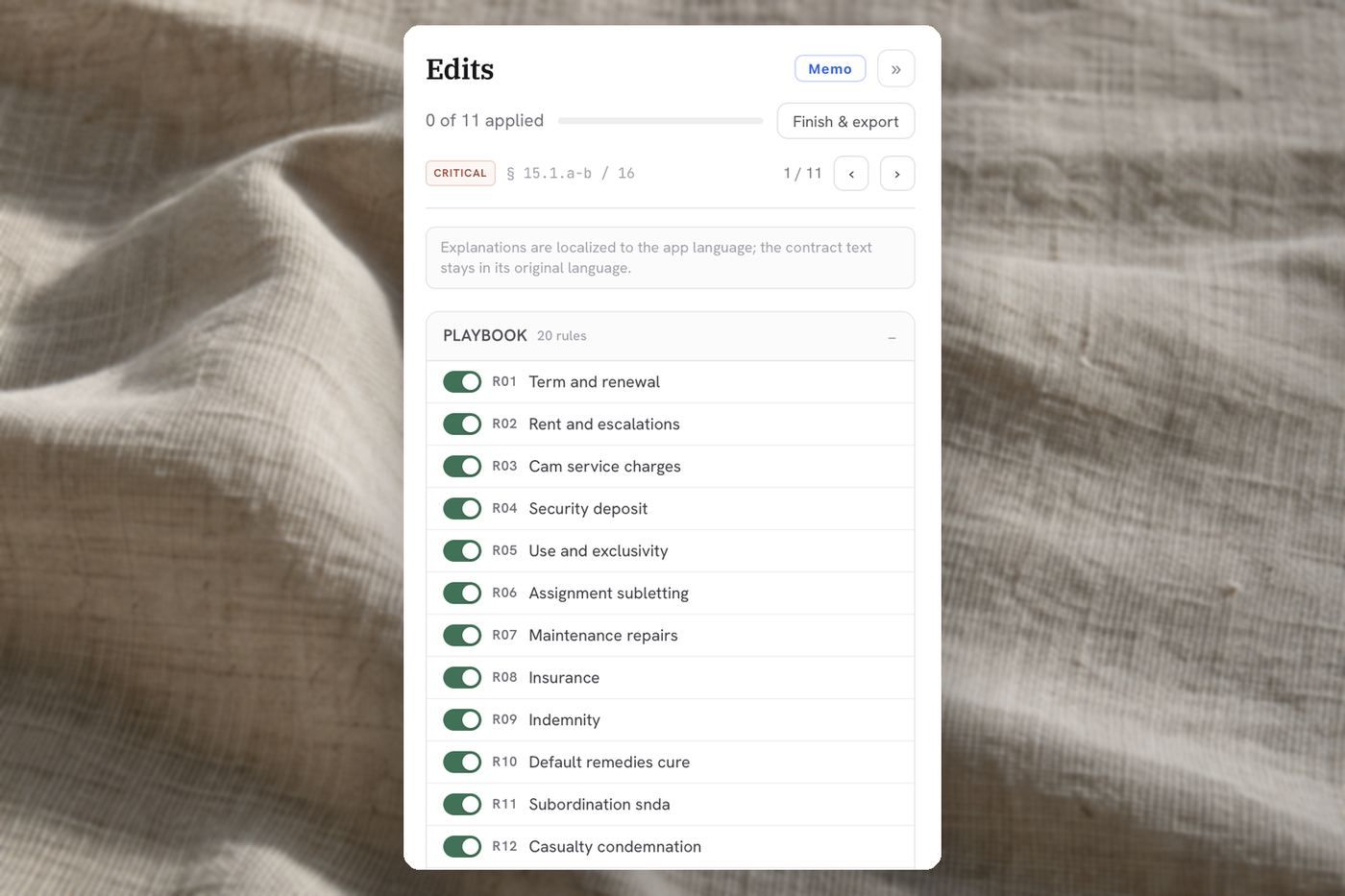
- Optional: open Playbook and paste your standard positions or red lines; every clause is checked against them.
- Press Start. A full-screen legal workspace opens and the work continues if you leave.
What you get back
A matter workspace:
- The redlines: for each flagged clause, What it says, Why we change it, What it costs you later, What this rests on, and the current and proposed text. Accept & write in, Edit, Hold or Delete this clause, and step through with Previous flag and Next flag.
- Key terms, Governing law, Key obligations, Balance of terms and Deadlines & notices.
- Download as Word (.docx) or PDF, and the redline and issues memo as a PDF.
- For a lease, a Lease Abstract with its key dates, exportable as CSV or PDF.
Every matter is on the Matters tab.
Time and cost
While it reads, the workspace says Reviewing your document, and it usually takes under a minute; its header shows the credits used. Across runs, the median is about five minutes and 0.3 credits.
Do
- Ask extraction questions. "What are the break options and their notice periods", "list every rent review and its mechanism": this is where it is strongest.
- Ask it to draft a first pass of an LOI or a summary memo, then take it to your counsel.
- Name your side. A review read from the tenant's chair flags different clauses than one read from the landlord's.
Do not
- Do not ask whether something is enforceable, compliant, or tax-efficient. You will get a decline, and you should.
- Do not rely on it having read an attachment you did not quote from when a single clause decides the matter: put that clause's text in the message too.
- Do not send anything onward as reviewed. Nothing here has been.