Titleman exposes an MCP server, so you can start jobs and read results without leaving your assistant. The same connector works in Claude, ChatGPT and Microsoft Copilot Studio; the connector documentation has the steps for each. Slack and Zapier are on request: there is no Slack app to add and no Zapier app listed yet. That is the whole list, and we would rather say it than show a wall of logos for things that do not exist.
Want to see it working in your assistant? Request a demo to see a job started from Claude, ChatGPT or Copilot Studio and the result read back.
How to use it
- Open MCP under Integrations in the left list. The card Connect Claude shows the Connector URL; press Copy.
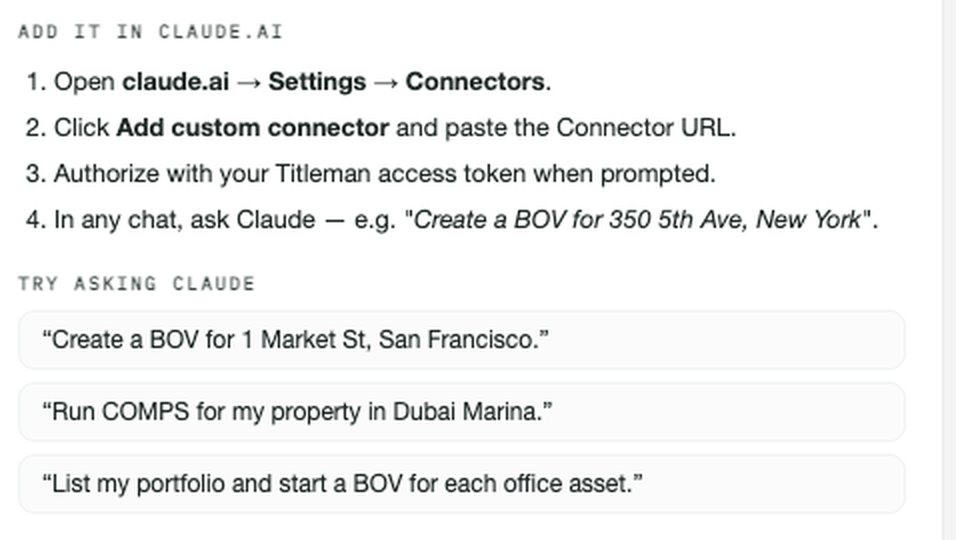
- In claude.ai, open Settings → Connectors and click Add custom connector. Paste the Connector URL.
- When asked, sign in to Titleman and approve access; there is no token to paste.
- In any chat, ask Claude, for example "Create a BOV for" followed by the property address. The finished report comes back to the chat.
Connecting
The Connector URL is https://titleman.ai/_mcp/titleman; the connector card on
MCP shows it too once you are signed in. Add it in
your assistant and sign in to Titleman when it asks; there is no key to copy. A
personal access token is there for clients that cannot sign in, and the same card
revokes access.
Every call is authenticated as you, and every tool is scoped to your account: your rooms, your properties, your reports, and nothing else.
⚠ We hold no register outside the United States, Spain, Germany and France, and outside those a request comes back thin rather than refused; read Coverage and data before you automate anything against a market. This applies to every tool below.
What you can start from Claude
Six job types, each from a full street address:
| Tool | Starts |
|---|---|
create_bov | A broker's opinion of value |
create_comps | A comparables board |
create_underwriting | Income, debt, returns, scenarios |
create_best_use | Highest-and-best-use scenarios |
create_dd | A diligence pass |
create_buyer_list | A ranked buyer pool |
run_workflow starts one of your saved workflows, and it is the one paid tool
that asks first: the first call returns the estimated charge: what you would
be billed, not what the run costs us, at each product's 90th-percentile cost
(nine runs in ten cost no more; one can cost more), and starts nothing; it runs
only when called again with confirm: true and that estimate fits your
max_usd (at most $50). While the workflow runs, a step whose estimate would
pass the budget is not started, but a step already running is not stopped, so
the final charge can exceed max_usd. A workflow whose first steps need input
you have not given (a street address, or Scout's wish and area) comes back with
needs_input naming it, and a confirmed start without it is refused before
anything is charged.
Finding and reading back
| Tool | Does |
|---|---|
find_properties | Search in words: location, type, count, price range, size |
list_properties / get_property | Your portfolio, then one property in full |
list_reports | Your reports |
get_report_status | Whether a run has finished, by the room_id the create call returned (or the report's Titleman link) |
get_report | The finished report, and its disclosed figures with status and evidence, a page at a time |
list_workflows | Your saved workflows and the team's shared ones, with the workflow_id run_workflow takes and your latest run of each |
workflow_run | A workflow run by the run_id run_workflow returned: status, steps with the report each started, the contract's open questions, what it has charged so far |
search / fetch | Your reports by words in the title or in the request that started them (either often names the address), then one report's disclosed figures with status and evidence: what ChatGPT deep research and company knowledge read |
Ready-made prompts
In Claude Desktop and Claude Code the connector also offers three prompts as
commands: property_brief (what Titleman already knows about an address),
summarize_report (a report's conclusion and the figures it rests on) and
value_check (a value from a finished report, or comps, and it asks before a
paid BOV). Each starts from the free reads below.
Asking without starting a run
These read what Titleman already holds and start nothing:
| Tool | Does |
|---|---|
zoning_envelope | What can be built on a parcel: zone, lot area, base and conditional FAR (or FAR by use where the ordinance states it that way, as in New York City), the ordinance section, or MISSING with what would close it |
comps | The comparables already on file for an address: up to 20 of each kind per answer and how many are on file; rejected ones with their reason; where on file, each figure with its own source and, where known, its as-of date; a client-document figure says its source is withheld |
underwriting_model | The saved underwriting model of one of your Underwriting or Value Opinion reports, every value with its source and status; other reports save none, and the answer says so |
ask_deal_room | Passages from your own deal documents that answer a question, each cited to its document and page (accounts with Deal Room switched on) |
ask_titleman | An answer about your own deals, runs, portfolio or market; a figure tied to exactly one of your runs' stored facts comes cited with its status and evidence, any other figure is not confirmed, and an answer whose figures could not be cited names the report to read with get_report; if a question needs a new run, it names the product |
The pattern is: create returns a room_id, you poll get_report_status with
it, then get_report. Runs take minutes to hours depending on the product
(Choosing a product has the measured
times), so treat it as asynchronous, not as a request that blocks. While a run
is queued or in progress, get_report_status answers poll_after_seconds (wait
at least that long before asking again) and, for the common products,
usually_done_within_minutes: nine in ten delivered runs of that product took no
longer than that many minutes from their start, measured on production.
A report that stops to ask you something (which address, whole building or a
unit) comes back with needs_person: true: answer it in Titleman at its
report_url; the connector cannot, and polling will not move it.
What the connector cannot start
Value Opinion, Scout, Feasibility, Excels and Legal are not exposed over MCP. If your job is one of those, run it in the product. This is a real gap rather than an oversight worth hiding: the connector covers six of the eleven things we do.
One caveat on the sixth: Buyer List runs, and almost nobody outside the company has used it: one client run in the last thirty days. It is there and it is not proven.
What is not available yet at all
The Connectors page in your account lists these honestly, and so will we: email inflow (a forwarding address per workspace), Dropbox folder sync, and a property management system pull for rent rolls and T-12s. A Lease Comps Feed and Marketplace Data are on request: a conversation rather than a switch.
None of them is live. (The Excel add-in is; its help page shows how to start.) If one of them is what would make Titleman work for your firm, say so; that is useful to us and it is a straight answer either way.
Before you build on it
Anything you automate through the connector inherits every limit the products have: coverage stops where our registers stop, local planning and tax rules are not applied, and the outputs are what What you get back says they are. A script that assumes a deck or a PDF will come back will be wrong most of the time.
Ready to try it on a real job? Request a demo to see the connector start a job and read the result back.